Flight alerts for families

Know when they land.

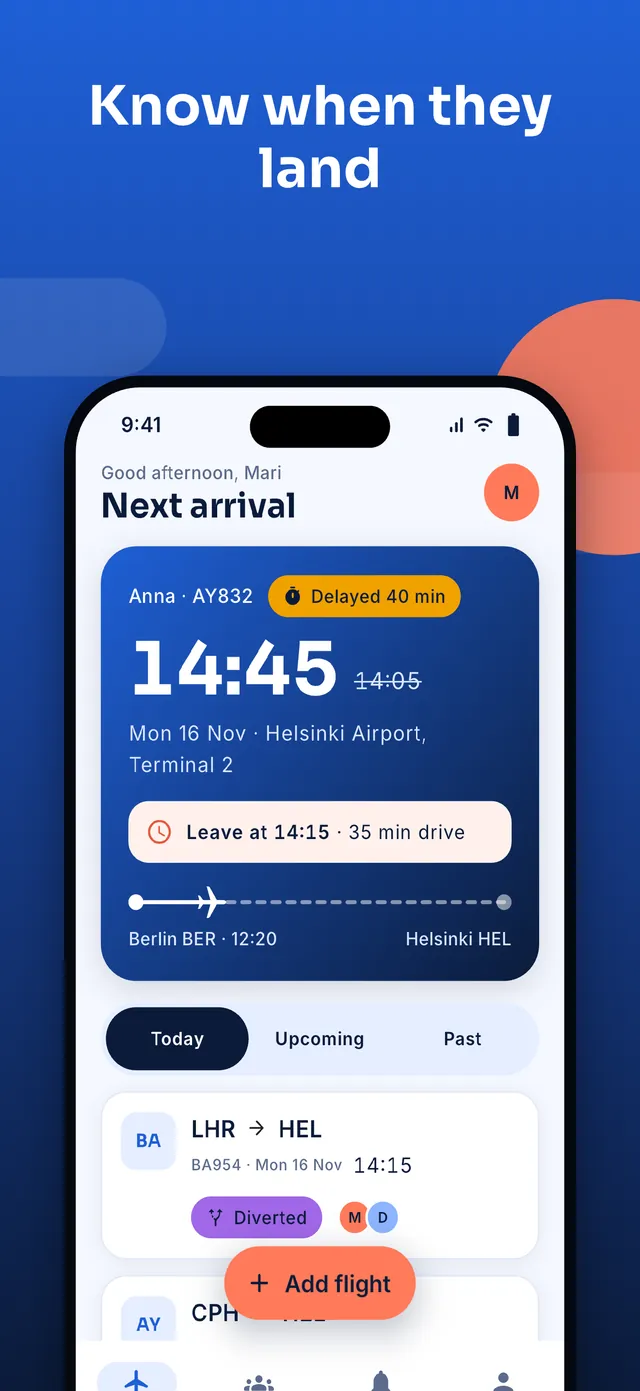
Picking someone up? airFamily tells you when to leave, whether the flight is late, and the moment they land. Add the flight once, share it with your family, and stop refreshing airline apps.

Download on theApp StoreComing soon Get it onGoogle PlayComing soon

For iPhone and Android. Free to start. No account needed.

  • Leave-now reminders
  • Plain-language alerts
  • Family circle
  • Live share link
  • iPhone and Android
  • 11 languages
  • Free to start
  • No account needed
How it works

Add a flight once. We do the watching.

Three small steps, and nobody has to ask “any news?” again.

  1. Add the flight

    Type the flight number, paste a message from the airline or the family chat, or open a link. airFamily finds the flight.

  2. We watch it for you

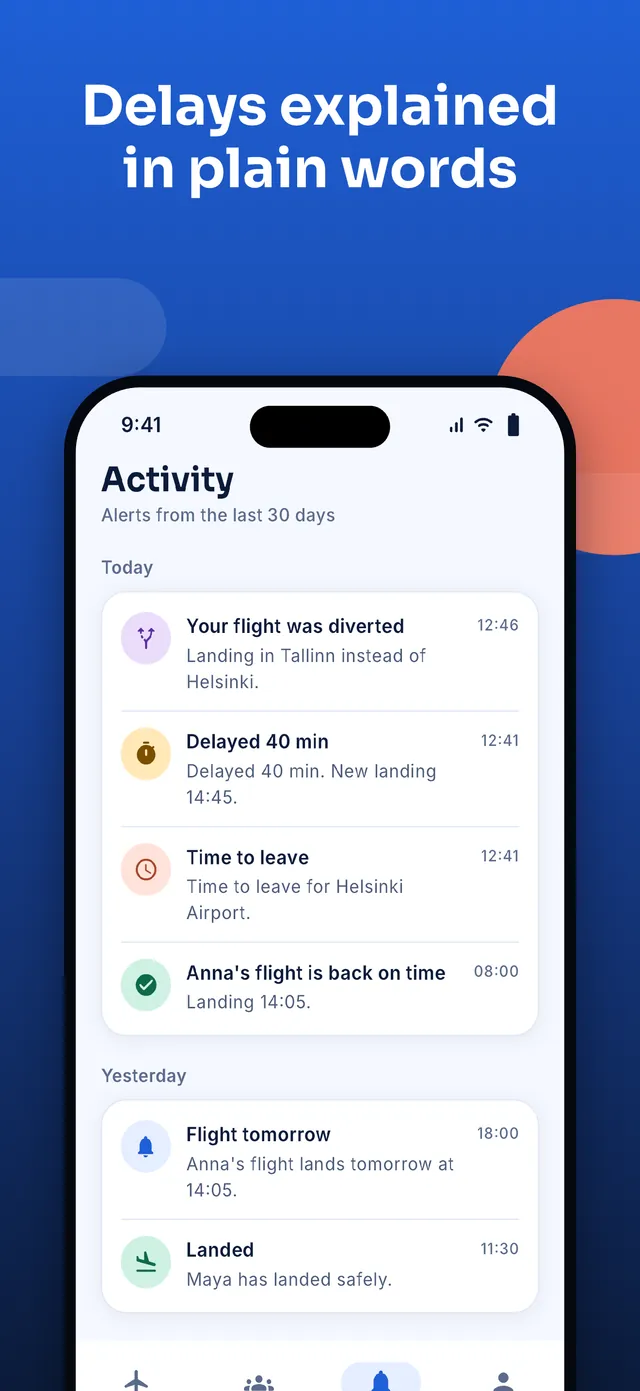
    Delays, gate changes, diversions and landings arrive as short, plain alerts, and your “leave by” time moves with the flight.

  3. Everyone stays in the loop

    Share a live link or invite the family to a circle. Everyone sees the same status, in their own language and time zone.

Features

Everything for a calm airport pickup

Made for the people waiting, not for the people flying.

Leave-for-the-airport reminder

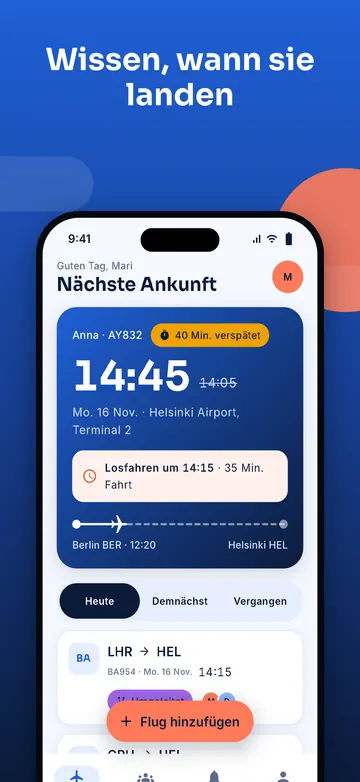
Built from the landing time, your drive and a buffer you set, with more time when there are checked bags. It moves whenever the flight does.

Alerts in plain words

“Delayed 40 min. New landing time 15:40.” No codes, no jargon, and calm when there is plenty of time.

A circle for the family

One flight, everyone informed. Invite by link, WhatsApp or QR code. Members see the flights shared with them.

Share a live link

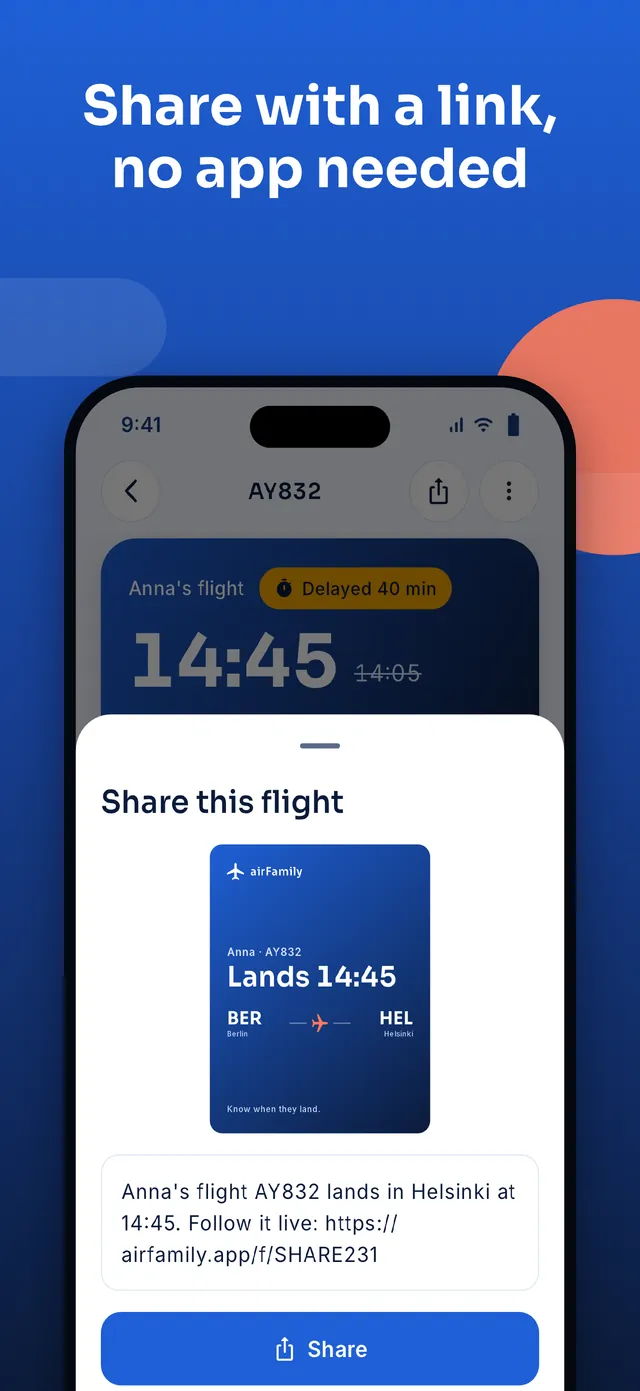
Send a status page that opens on any phone, even without the app. It stops working about a day after landing.

Lock screen and widgets

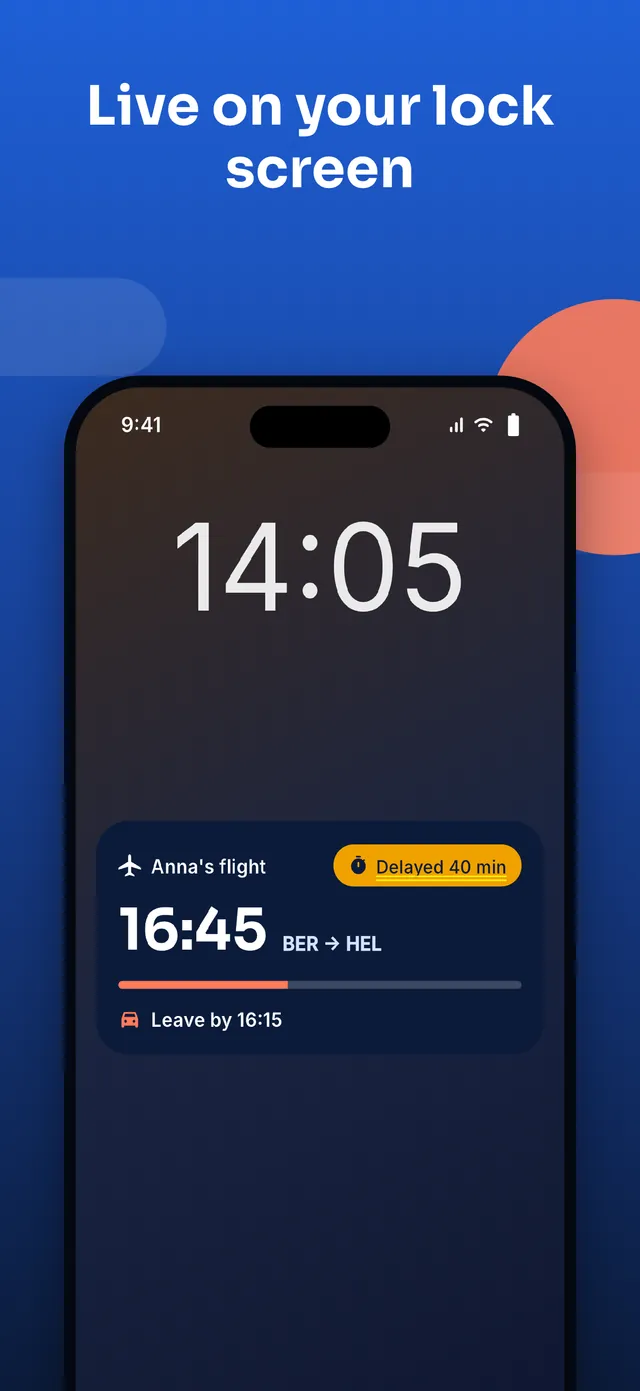
Live status on the iPhone lock screen, an ongoing notification on Android, and Home Screen widgets.

Works offline

Saved flights stay available without a connection, and a flight you add offline is saved when you are back online.

Eleven languages

English, Suomi, Deutsch, Español, Français, Português, Русский, हिन्दी, 简体中文, አᇣማን and العربية, with right-to-left layout.

Private by design

No account needed to start. Names you type are shown only to your circle, and you can delete everything from inside the app.

Leave at the right time

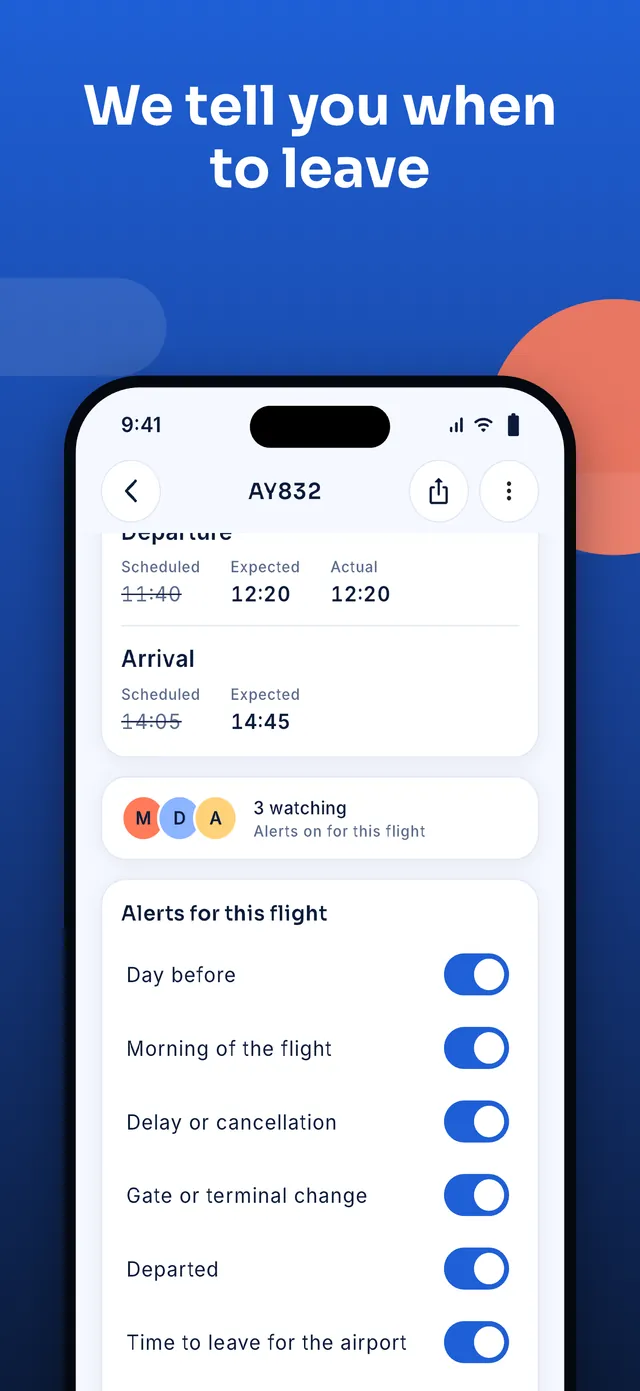
We tell you when to leave

Not “landing at 14:45” but “leave at 14:15”. airFamily works it out from the expected landing, the walk to arrivals and the drive you set, and it changes the moment the flight does.
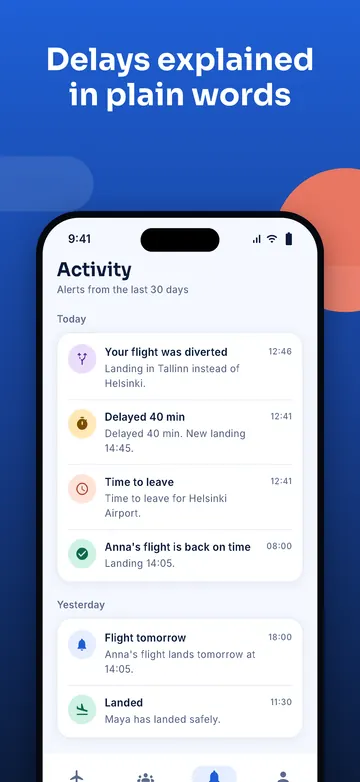
  • Your drive, your bufferSet a default once and change it for any flight.
  • More time with checked bagsSay there are bags and the estimate adds the wait at the belt.
  • Plain words when plans change“Plenty of time. You can leave later.” Calm, not alarming.
airFamily pickup plan showing when to leave for the airport A delay alert in plain words
Family circle

One circle for the whole family

Mum, dad, the sister who drives and the grandparent who worries. Everyone sees the same flights and gets the same alerts, so there is one answer to “where are they?”.
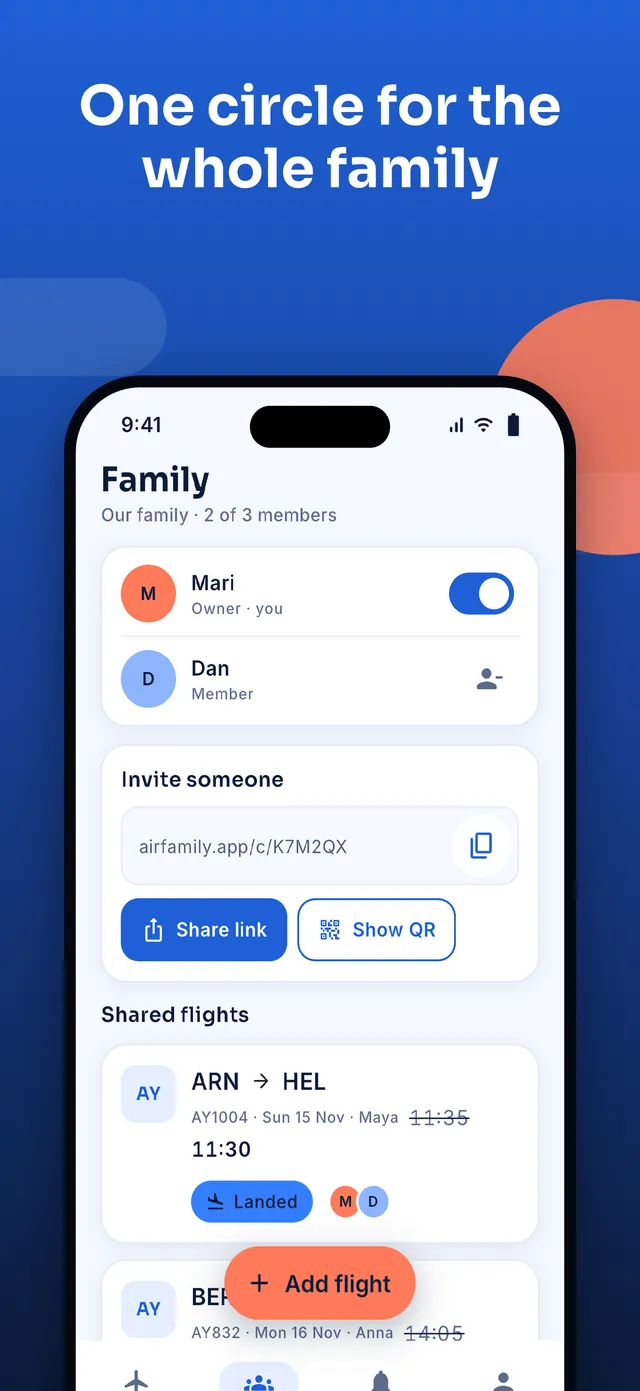
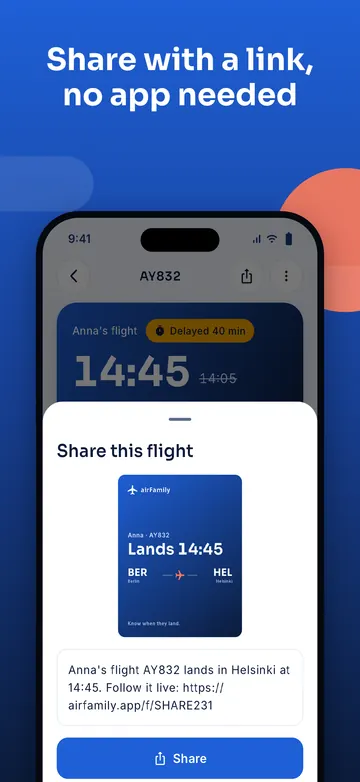
  • Invite in a tapShare a link, send it on WhatsApp or show a QR code. No code to retype.
  • Alerts in each person’s languageEvery member gets alerts in their own language and local time.
  • You decide who is inOwners can remove a member, and anyone can leave at any time.
The Family tab with members and invite options Sharing a flight with a link
Screenshots

A look inside

Clear type, big times and one thing to do at a time.
Languages

In your family’s language

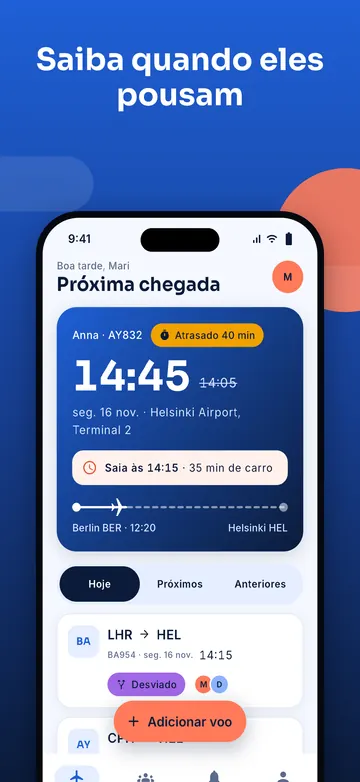
airFamily follows the language of your phone, and everyone in a circle can use a different one.
  • English
  • SuomiFinnish
  • DeutschGerman
  • EspañolSpanish
  • FrançaisFrench
  • PortuguêsBrasil
  • РусскийRussian
  • हिन्दीHindi
  • 简体中文Chinese
  • አማርኛAmharic
  • العربيةArabic
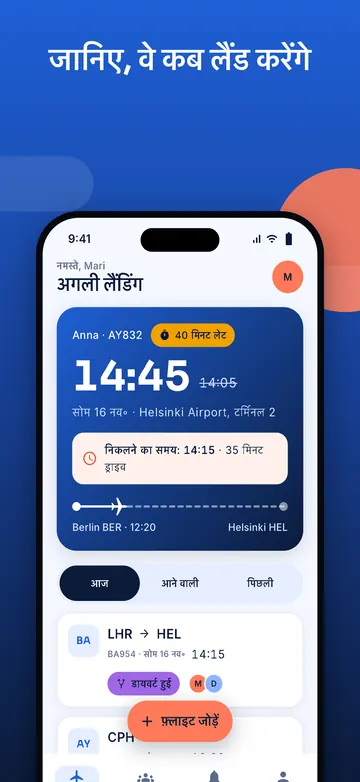
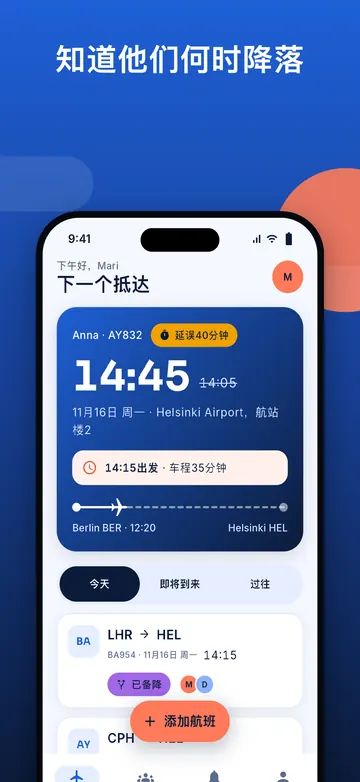
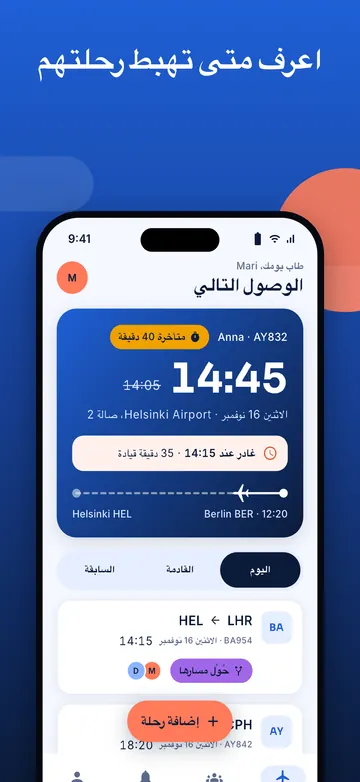
  • airFamily home screen in DeutschDeutsch
  • airFamily home screen in PortuguêsPortuguês
  • airFamily home screen in РусскийРусский
  • airFamily home screen in हिन्दीहिन्दी
  • airFamily home screen in 简体中文简体中文
  • airFamily home screen in العربيةالعربية

New translations are being checked by native speakers. If you find a mistake, tell us.

Privacy

Calm, and private by design

A flight tracker does not need your location, your contacts or your photos, so it does not ask for them. You decide what your family sees.

Read the privacy policy

  • No account to startSign up later with Google, Apple or email if you want to keep your flights on a new phone.
  • Only what the app needsNo location, contacts, camera or microphone.
  • Your data, your call“Delete my data” in the app removes your account and what is linked to it.
  • No tracking without your sayAd and analytics choices are asked first, where the law requires it.
Free and Pro

Free to start. Pro when you want more.

The essentials are free for everyone. Prices are shown in the app and in your store before you subscribe, and you can cancel any time there.

Free

Everything you need to follow a flight.

  • Flight alerts and leave-now reminders
  • Share a live link
  • A small family circle
  • Light ads, where they are switched on

airFamily Pro

For families who travel a lot.

  • No ads
  • Unlimited flights
  • A bigger family circle
  • Subscribe and manage in the App Store or Google Play
Questions

Good to know

Do I need an account?
No. airFamily starts with an anonymous account, so you can add a flight right away. If you want to keep your flights and circle when you change phones, sign up with Google, Apple or your email in the Me tab.
Which flights can I follow?
Scheduled passenger flights around the world, found by flight number or by route and date. Flight information comes from other sources and can be late or wrong, so for anything important check with the airline.
How does the “leave by” time work?
It is the expected landing time, plus the time to reach arrivals (more with checked bags), minus the drive time and buffer you set. It updates when the flight changes.
Can someone without the app follow my flight?
Yes. Share a link and anyone can open a live status page in their browser. The link stops working about a day after the flight lands.
How do I delete my data?
In the app: Me, then Delete my data. It removes your account and what is linked to it from our servers. Details are in the privacy policy.
Who makes airFamily?
airFamily is made by Geez Apps. Questions or ideas? Write to support@geezapps.com or see the support page.

Never wonder “are they here yet?” again.

airFamily is coming to the App Store and Google Play. Questions in the meantime? We read every message.

Download on theApp StoreComing soon Get it onGoogle PlayComing soon

Email us